What is Polymarket?
Polymarket is the world's largest decentralized prediction market platform where you trade on the outcome of real-world events using USDC. Think of it as a stock market for events — instead of buying shares in companies, you buy shares in outcomes like "Will X happen by date Y?" For a deeper look at how the CLOB, UMA oracle, and USDC mechanics fit together, see our guide on how Polymarket works. If any terms in this guide are unfamiliar, see our Polymarket glossary for definitions of key trading vocabulary.
Unlike traditional betting platforms, Polymarket is permissionless, non-custodial, and runs on the Polygon blockchain. All trades are on-chain and fully transparent. If you want reassurance before depositing funds, read our article on whether Polymarket is legitimate and secure.
Step 1: Set Up Your Wallet
Polymarket requires a Web3 wallet. The two best options are:
- MetaMask (recommended for desktop) — Browser extension for Chrome, Firefox, Edge
- WalletConnect — For mobile wallets like Trust Wallet, Rainbow, or Coinbase Wallet
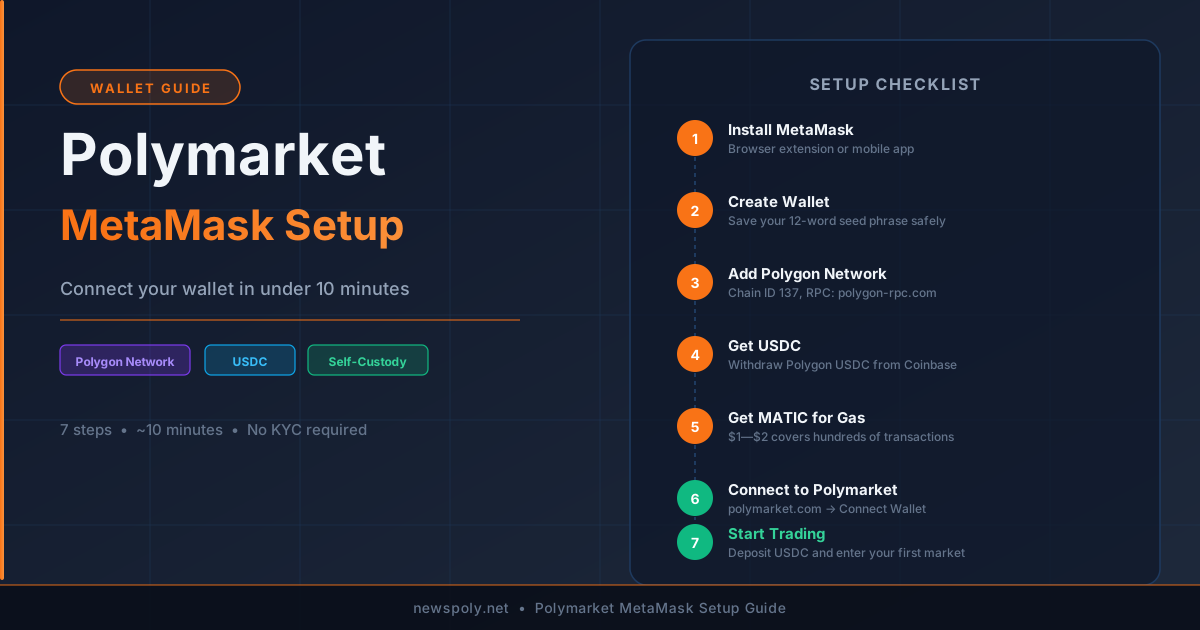
To install MetaMask: visit the official MetaMask website, install the browser extension, and create a new wallet. Write down your 12-word seed phrase and store it offline — this is the only way to recover your wallet if you lose access. For a full walkthrough including Polygon network setup, see our Polymarket MetaMask guide.
Step 2: Get USDC on Polygon
All Polymarket trades use USDC on the Polygon network (see our USDC deposit and withdrawal guide for full details). You have three options:
- Buy directly — Use Polymarket's built-in on-ramp (credit card/bank, powered by MoonPay)
- Transfer from exchange — Buy USDC on Coinbase, Binance, or Kraken, then withdraw to your Polygon wallet address
- Bridge from Ethereum — If you have USDC on Ethereum mainnet, use the Polygon Bridge to move it to Polygon
Tip: Make sure you also have a small amount of MATIC (Polygon's native token) for gas fees. Most transactions cost less than $0.01 in gas.
Step 3: Connect to Polymarket
- Go to polymarket.com
- Click "Sign In" or "Connect Wallet" in the top right
- Select MetaMask (or WalletConnect for mobile)
- Approve the connection in your wallet popup
- Sign the authentication message (this is free — no gas fee)
Step 4: Find a Market
Polymarket organizes markets by category: Politics, Crypto, Sports, Finance, Science, and more. Each market displays (see our guide on how to read Polymarket odds for a full breakdown):
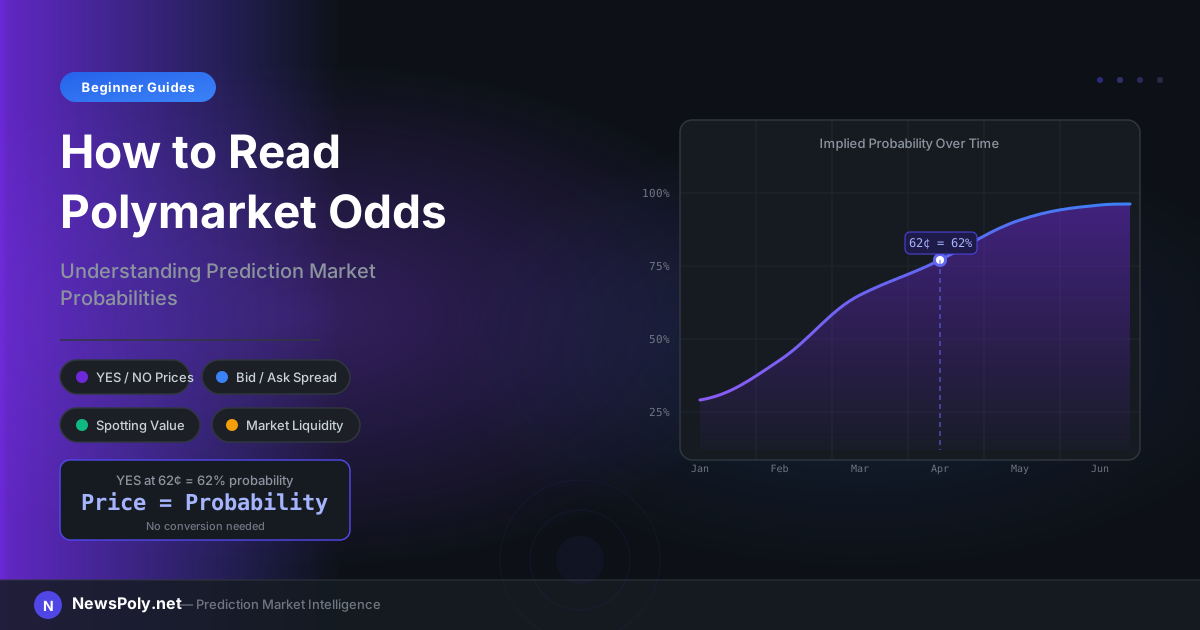
- Current prices — e.g., YES at 62¢ = market implies 62% probability
- Total liquidity — Higher liquidity = tighter spreads = easier to enter/exit
- Resolution date — When the market closes and pays out
- Resolution criteria — Exactly what conditions determine YES or NO (see the Polymarket glossary for definitions of these and other key terms). When a market expires, the UMA oracle settles the outcome and USDC is distributed to winners — our market resolution guide explains the full process.
Step 5: Place Your First Trade
- Click on a market you want to trade
- Select YES or NO based on your prediction
- Enter the amount of USDC you want to spend
- Review the shares you'll receive and the average price
- Click "Buy" and confirm in your wallet
If the event resolves in your favor, each share pays out $1 USDC. If not, shares expire worthless. For a detailed breakdown of timing, fees, and resolution mechanics, see our guide on how Polymarket payouts work.
The Easier Way: Start With Copy Trading
If all of this feels overwhelming, there's a smarter shortcut: instead of researching markets yourself, you can learn what Polymarket copy trading is and how it works, or use PolyCopyTrade to automatically copy the trades of top Polymarket traders. You can also explore the full range of Polymarket trading strategies once you're comfortable with the basics.
You connect your wallet once, choose which traders to copy, set your position limits — and the bot handles everything else. It's the fastest way to participate in Polymarket profits without needing to become a prediction market expert yourself.
Common Beginner Mistakes to Avoid
- Overexposing on a single market — Never put more than 10–15% of your balance on one outcome (review Polymarket risk management for bankroll rules)
- Ignoring resolution criteria — Always read exactly what determines YES/NO before buying
- Trading illiquid markets — Low liquidity = wide spreads = you lose money entering and exiting
- Chasing late markets — If an event is already 95% resolved, the upside is tiny
Frequently Asked Questions
Is Polymarket legal?
Polymarket is legal for users outside the United States. U.S. residents face regulatory restrictions. Always check your local jurisdiction's rules on prediction market trading.
What is the minimum amount to trade on Polymarket?
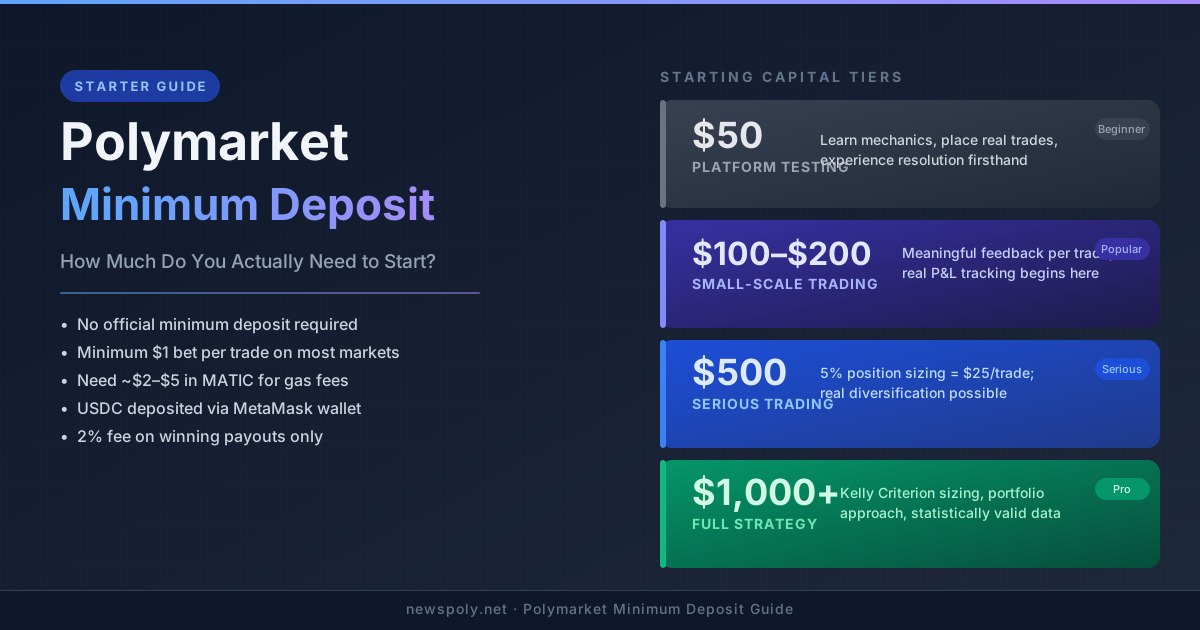
There's no official minimum, but practically you need at least $10–$20 in USDC to make meaningful trades after accounting for gas fees (which are very low on Polygon — typically under $0.01 per transaction). Our Polymarket minimum deposit guide covers practical starting amounts in detail.
How does Polymarket make money?
Polymarket charges a small fee on winning positions — typically 2% of profits. There are no fees on losing positions. See our complete guide to Polymarket fees for a full breakdown.