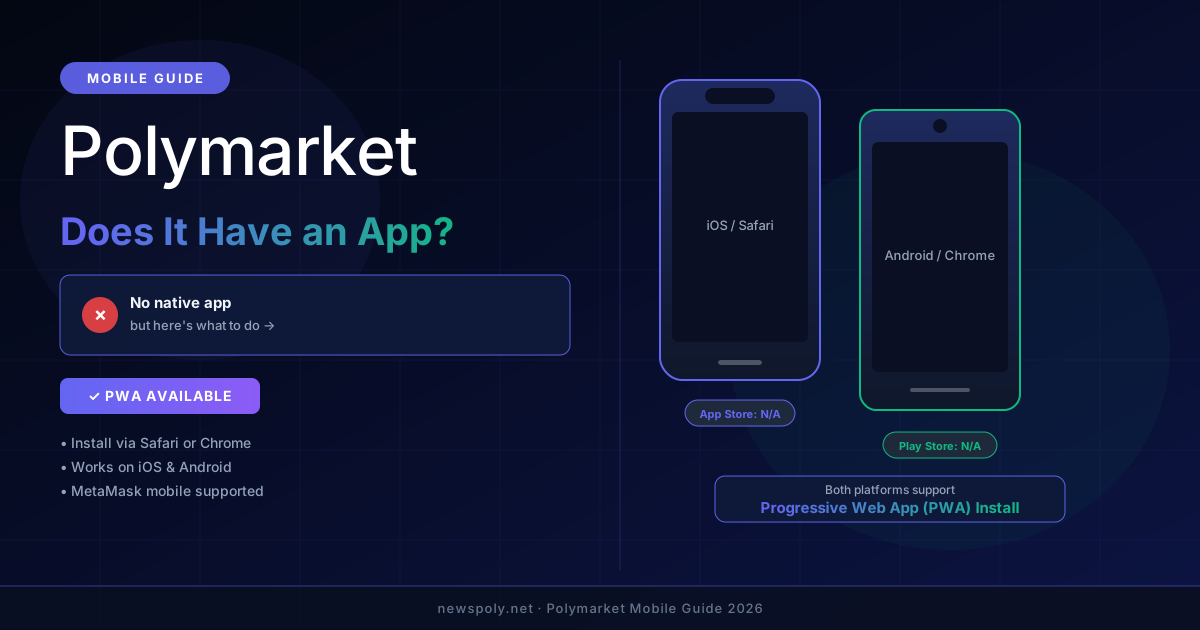
Short answer: No, Polymarket does not have a dedicated native app on the Apple App Store or Google Play Store as of 2026. However, the mobile browser experience is genuinely usable, and you can install Polymarket as a Progressive Web App (PWA) on both iPhone and Android — which gets you pretty close to a native app feel. This guide covers everything you need to know about using Polymarket on your phone.
Does Polymarket Have an iPhone (iOS) App?
If you search the Apple App Store for "Polymarket," you will not find an official Polymarket app. As of March 2026, Polymarket has not released a dedicated iOS application through Apple's marketplace.
There are a few reasons why prediction markets face friction on the App Store. Apple's guidelines restrict certain types of financial and gambling-adjacent applications, and the process of getting a crypto-native, real-money prediction market approved is non-trivial. Polymarket has not publicly announced any timeline for an iOS app release. If you are new to the platform altogether, our Polymarket beginner guide covers the full setup process. To understand how Polymarket works as a platform — including the wallet model, USDC, and order book — our mechanics guide is the best starting point.
That said, the Polymarket mobile website at polymarket.com loads and functions in Safari and Chrome on iPhone. You can browse markets, check odds, and interact with your wallet through the mobile browser without downloading anything.
Does Polymarket Have an Android App?
Similarly, there is no official Polymarket app on the Google Play Store. Searching for Polymarket on Android will surface third-party apps, trackers, and portfolio tools — but nothing from Polymarket itself.
Google Play also has review requirements for real-money applications, particularly those involving crypto and prediction markets. While Android is generally more permissive than iOS in allowing sideloaded APK files, Polymarket has not distributed an official APK either.
The good news is that Android's PWA support is arguably better than iOS's, making the install-to-home-screen experience quite smooth on Android devices.
Skip the app entirely. PolyCopyTrade runs 24/7 in the cloud — no app needed, no phone required. It automatically copies top Polymarket traders while you sleep.
How to Install Polymarket as a PWA on iPhone
A Progressive Web App (PWA) is a website that behaves like a native app when installed to your home screen. It gets its own icon, launches without browser chrome, and can cache data for faster loading. Here is how to do it on iPhone:
- Open Safari on your iPhone. Important: this must be Safari, not Chrome or Firefox — only Safari supports Add to Home Screen on iOS.
- Navigate to polymarket.com and wait for the page to fully load.
- Tap the Share button (the square with an upward arrow) in the Safari toolbar at the bottom of the screen.
- Scroll down in the Share Sheet and tap "Add to Home Screen."
- On the next screen, you can edit the name (e.g., "Polymarket") and then tap "Add" in the top right corner.
- Return to your home screen. You will see a Polymarket icon. Tap it to launch the site in a full-screen, app-like view.
The resulting experience looks very similar to a native app — no browser address bar, full-screen display, and quick launch. The main difference is that it relies on your internet connection and will not send push notifications the same way a native iOS app would.
How to Install Polymarket as a PWA on Android
Android handles PWAs even more seamlessly than iOS. Chrome on Android will often prompt you automatically to install a site as a PWA if you visit it frequently. Here is the manual process:
- Open Chrome on your Android device and navigate to polymarket.com.
- Tap the three-dot menu in the top right corner of Chrome.
- Look for "Add to Home screen" or "Install app" in the dropdown menu. (The wording varies slightly by Android version and Chrome version.)
- Tap it. A dialog will appear asking you to confirm. Tap "Add" or "Install."
- The Polymarket icon will appear on your home screen and in your app drawer, just like any other app.
On newer versions of Android with Chrome, the installed PWA will appear in your app drawer alongside native apps. You can long-press the icon to create shortcuts to specific markets, similar to how native apps let you deep-link to features.
Using MetaMask Mobile with Polymarket
One of the most common ways to use Polymarket on mobile is through the MetaMask mobile app, which has its own built-in browser. This approach has some advantages: your wallet is already connected when you browse, and you avoid the extra step of connecting each session. You will need USDC on the Polygon network funded before you can trade. If you have not yet set up MetaMask for Polymarket, our step-by-step Polymarket MetaMask guide covers the full configuration process including adding the Polygon network.
To use this method:
- Download MetaMask from the App Store (iOS) or Google Play (Android) if you have not already.
- Set up or import your existing MetaMask wallet.
- Inside MetaMask, tap the browser tab (the compass icon or browser icon, depending on your version).
- Type polymarket.com in the address bar.
- Connect your wallet when prompted — MetaMask will handle signing requests natively within the app.
Alternatively, if you are using a different wallet or already have the Polymarket PWA installed, you can connect via WalletConnect. Tap "Connect Wallet" on Polymarket, choose WalletConnect, and your wallet app (MetaMask, Rainbow, Coinbase Wallet, etc.) will receive a connection prompt.
How Good Is the Polymarket Mobile Experience?
Honest assessment: it works, but it is not as polished as a purpose-built native app would be. For a full evaluation of the platform beyond just mobile, see our Polymarket review.
What works well:
- Browsing and filtering markets is smooth on modern smartphones
- Market pages load quickly and the price charts render properly
- Placing trades via MetaMask mobile or WalletConnect is functional
- The PWA installation gives a clean, full-screen experience
- Works on both iOS 16+ and Android 12+
Where it falls short compared to a native app:
- No push notifications for price movements or resolution events
- Occasional layout quirks on smaller phone screens
- Wallet connection can sometimes drop and require reconnecting
- No Face ID or biometric login for quick authentication
- Performance is dependent on your browser's JavaScript engine rather than a compiled native app
For casual browsing and checking your positions, the mobile experience is perfectly adequate. For active trading — especially during fast-moving news events where seconds matter — the friction of wallet signing on mobile can be frustrating. If you are just getting started, see our guide on the Polymarket minimum deposit to understand practical starting amounts before funding your wallet.
Tired of babysitting your phone? PolyCopyTrade handles Polymarket trading automatically — it mirrors the positions of profitable traders 24/7, so you capture opportunities even when your phone is in your pocket.
Will Polymarket Release an Official App?
As of March 2026, Polymarket has made no official announcement about a dedicated iOS or Android app. The team has not published a roadmap item or publicly confirmed development of native mobile apps.
This is not unusual in the crypto and prediction market space. Several factors complicate native app development:
- App store policies: Both Apple and Google have historically been cautious about crypto trading apps, particularly those involving real-money markets that might be classified as gambling in certain jurisdictions.
- Geographic restrictions: Polymarket is not available to US users. Distributing through US-based app stores adds regulatory complexity.
- PWA adequacy: The PWA approach covers the core use cases without requiring Apple or Google approval, making it a pragmatic choice for a team focused on the product.
There is always a possibility that Polymarket announces an app in the future — particularly as prediction markets gain mainstream attention. But for now, the PWA install method described above is the closest you will get to a native app experience. For a deeper look at trading techniques, wallet management, and everything else you can do once you are set up on mobile, see our full Polymarket mobile trading guide.
Alternative: PolyCopyTrade for Hands-Free Mobile Trading
If the friction of mobile trading is a concern — the wallet connections, the browser dependencies, the lack of push notifications — there is a different approach worth considering.
Instead of trying to actively trade on your phone, you can let a copy trading automation setup handle it. PolyCopyTrade connects to Polymarket's infrastructure and mirrors the positions of the platform's top-performing traders. It runs continuously in the cloud, which means:
- No app required — you set it up once from any browser
- Trades execute automatically, even when your phone is off
- You benefit from the track record of proven traders without manually monitoring markets
- No wallet signing on mobile — the platform handles execution
The best Polymarket mobile experience might be no app at all. Set up PolyCopyTrade once and let it run — your copy trading portfolio works around the clock without you lifting a finger.
Frequently Asked Questions
Can I download a Polymarket APK for Android?
There is no official Polymarket APK distributed by the Polymarket team. Any APK files claiming to be Polymarket that you find on third-party sites are unofficial and potentially dangerous. Do not install them. Use the official website at polymarket.com and install it as a PWA through Chrome instead.
Why can't I find Polymarket on the App Store?
Polymarket is not listed on the Apple App Store because the company has not submitted an iOS application for review. This is likely due to a combination of Apple's financial app policies, Polymarket's restricted availability in certain jurisdictions (including the US), and the fact that the PWA approach meets most user needs without requiring App Store distribution.
Does the Polymarket PWA work offline?
No. Polymarket requires an active internet connection to load market data, check odds, and execute trades. The PWA installation provides a better launch experience and home screen icon, but it does not cache market data for offline use. Think of it as a shortcut to the mobile website rather than a fully offline-capable application.