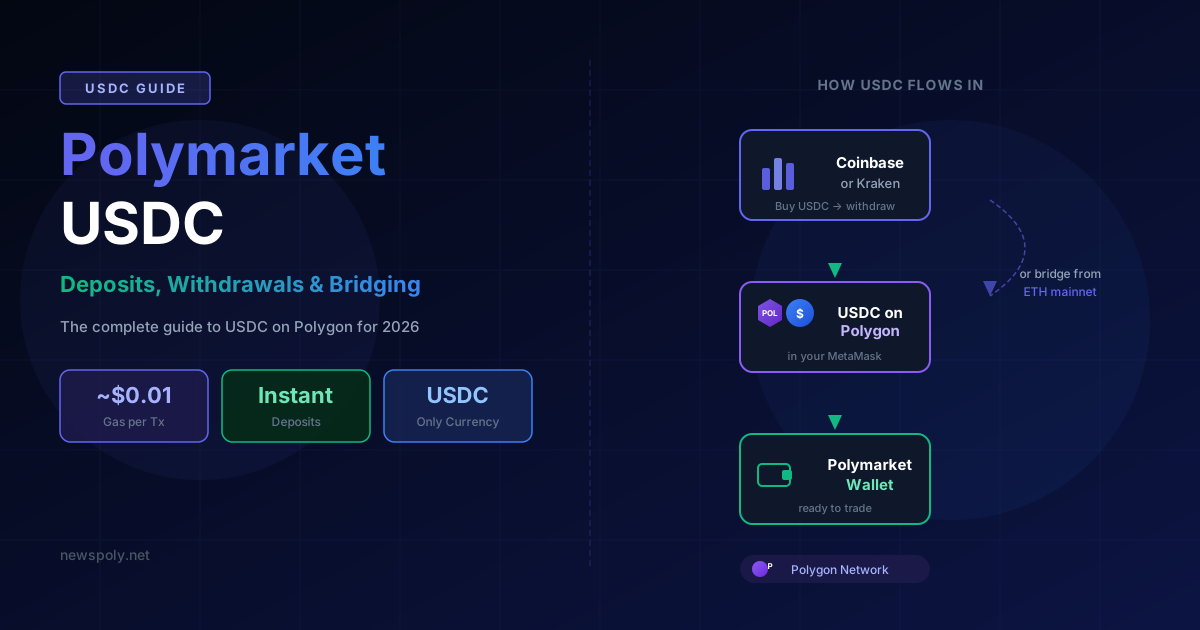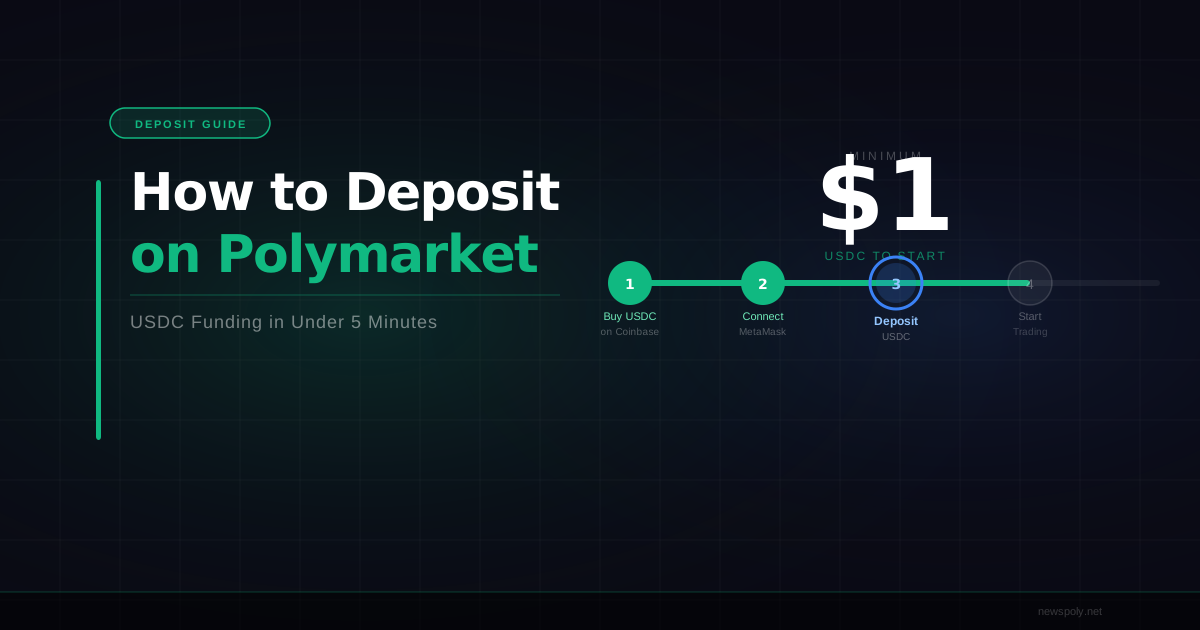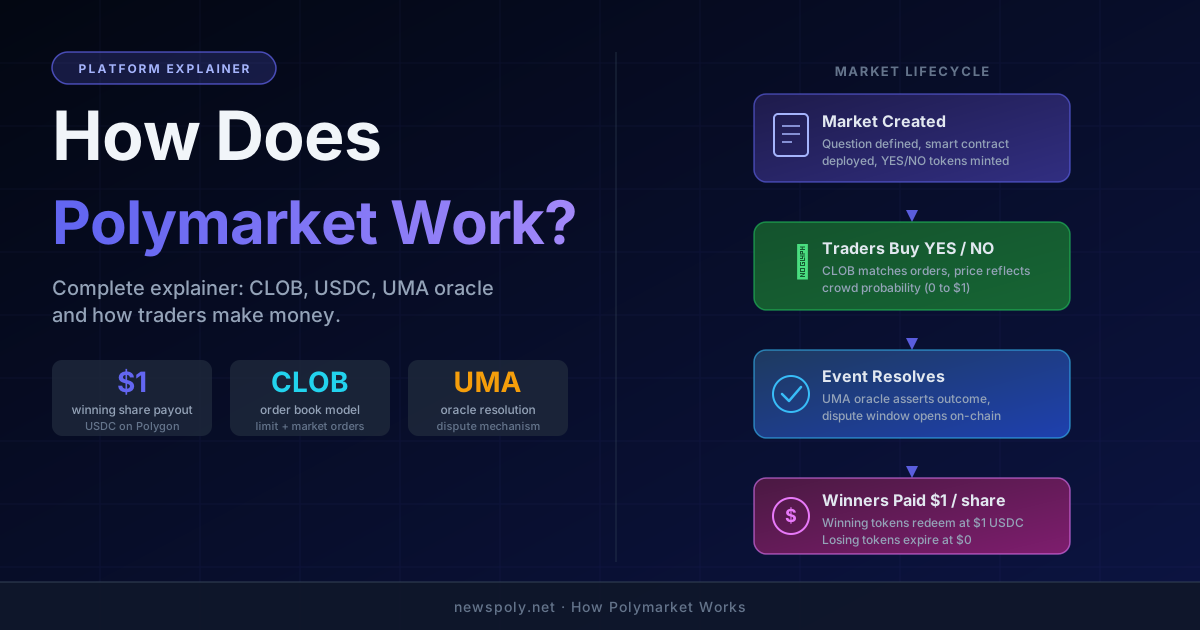
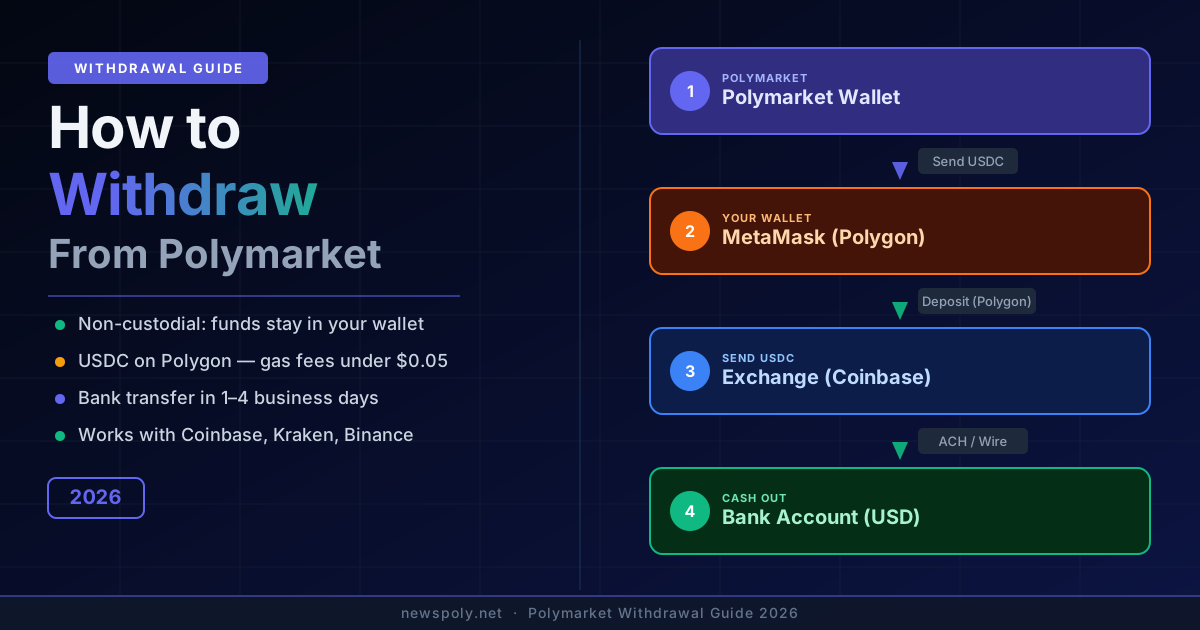
Polymarket does not have a "withdraw" button — and that surprises a lot of first-time users. Unlike a sportsbook or a stock brokerage, Polymarket is a non-custodial platform: your funds are never held by Polymarket. They live in your own crypto wallet the entire time. "Withdrawing" means sending USDC from your MetaMask (or other wallet) to a centralised exchange, then converting to USD and transferring to your bank. Once you understand that, the whole process becomes straightforward.
Understanding the Polymarket Withdrawal Process
Traditional platforms custody your money. Polymarket does not. When you deposit into Polymarket, you are connecting your MetaMask wallet to a smart contract on the Polygon blockchain. Your USDC stays in your wallet — Polymarket never touches it directly. When a market resolves in your favour, your USDC balance in MetaMask increases automatically.
This architecture is what makes Polymarket trustless and transparent. But it also means "cashing out" requires a few extra steps compared to clicking a withdraw button on a centralised app. The path is: MetaMask wallet → centralised exchange → bank account. Each step takes minutes to hours, not days.
Why USDC? Polymarket uses USDC (USD Coin), a stablecoin pegged 1:1 to the US dollar. 1 USDC always equals $1.00, so your balance does not fluctuate with crypto market prices. Converting to USD on an exchange is usually instant.
What You Need Before Withdrawing
Before you send any funds, make sure you have the following in place:
- MetaMask (or your connected wallet) — This is where your USDC lives. You need access to the same wallet you used to trade on Polymarket.
- A USDC balance — Check your MetaMask balance on the Polygon network. Resolved market winnings should already be there.
- A small amount of MATIC for gas — Polygon transactions require MATIC to pay gas fees. You only need a tiny amount (typically $0.01–$0.10 worth), but if your MATIC balance is zero, your transaction will fail. We cover how to get MATIC further below.
- A centralised exchange account — Coinbase, Kraken, or Binance are the most common choices. Your account must be verified (KYC complete) and must support USDC deposits on the Polygon network.
Before you cash out, consider whether your USDC is working for you. PolyCopyTrade automatically mirrors the trades of Polymarket’s top-performing wallets — so your USDC can keep compounding while you decide when to withdraw. No manual trading required.
Step-by-Step: Withdraw from Polymarket to Coinbase (and Then to Your Bank)
This walkthrough uses Coinbase as the example exchange. The process is nearly identical on Kraken or Binance — just make sure to select the Polygon (MATIC) network when generating your deposit address.
-
Copy your Coinbase USDC deposit address on the Polygon network.
Log in to Coinbase. Go to Assets → USDC → Receive. On the network selection screen, choose Polygon. Copy the deposit address — it will look like a standard Ethereum address starting with0x. Double-check that you have selected Polygon, not Ethereum mainnet. Sending on the wrong network is the most common withdrawal mistake. -
Open MetaMask and select the Polygon network.
Open your MetaMask browser extension or mobile app. At the top of the interface, click the network selector and choose Polygon (also shown as “Polygon Mainnet”). If you need help configuring MetaMask with the Polygon network and USDC, see our Polymarket MetaMask guide. You should see your USDC balance listed under assets. If you do not see USDC, you may need to import the token using its Polygon contract address:0x2791Bca1f2de4661ED88A30C99A7a9449Aa84174. -
Send USDC to your Coinbase deposit address.
In MetaMask, click Send. Paste your Coinbase USDC deposit address. Enter the amount you wish to withdraw (or click “Max” to send everything). Before confirming, verify: the recipient address matches what you copied from Coinbase, the network is Polygon, and you have enough MATIC to cover gas. Confirm the transaction. -
Wait for confirmation on Polygon.
Polygon is fast. Your transaction will typically confirm in 1–2 minutes. You can monitor the transaction hash in PolygonScan by searching your wallet address. Once confirmed, the USDC will appear in your Coinbase account — sometimes instantly, sometimes after a few minutes of exchange-side processing. -
Convert USDC to USD in Coinbase.
In Coinbase, go to your USDC balance and click Convert or Sell. Select USDC → USD. The conversion is 1:1 (minus any exchange fee, which is usually zero or negligible for USDC/USD). Your USD balance in Coinbase will update immediately. -
Transfer USD to your bank account.
In Coinbase, go to Assets → USD → Cash out. Select your linked bank account. Choose the amount and initiate the transfer. Standard bank transfers (ACH in the US) typically take 1–3 business days. Coinbase also offers instant cashout to a debit card for a small fee if you need funds faster.
Tip: Always do a small test withdrawal first — send $5–$10 before sending your full balance. This costs almost nothing in gas fees on Polygon but confirms your addresses and settings are correct before you move a larger amount.
How to Get MATIC for Gas Fees
MATIC is the native currency of the Polygon network and is required to pay transaction (gas) fees. The amount needed is very small — typically $0.01 to $0.05 per transaction — but if your MATIC balance is exactly zero, your MetaMask transaction will fail with an “insufficient funds for gas” error.
Several ways to get a small amount of MATIC:
- Buy MATIC on Coinbase or Kraken — Purchase $2–$5 worth, then withdraw it to your MetaMask wallet on the Polygon network. This is the most reliable method.
- Use a MATIC faucet — Some free faucets dispense tiny amounts of MATIC for gas. Search for “Polygon MATIC faucet” and use a reputable one. Amounts are usually enough for one or two transactions.
- Use the Polygon gas swap feature in MetaMask — MetaMask Mobile has a built-in feature to swap a small amount of USDC for MATIC to cover gas. Check the “Buy” or “Swap” options in the app.
How Long Does a Polymarket Withdrawal Take?
The end-to-end time from MetaMask to your bank account involves three stages:
- MetaMask to exchange (Polygon confirmation): 1–2 minutes for the blockchain transaction to confirm. Your funds arrive in your exchange account shortly after.
- Exchange processing: Converting USDC to USD on Coinbase is instant. Some exchanges may hold newly deposited funds for up to 24 hours before allowing a fiat withdrawal, especially for new accounts.
- Exchange to bank (ACH transfer): 1–3 business days in the US. Wire transfers are typically same-day but incur a fee. Instant cashout to a debit card (Coinbase Instant) is available for a fee of around 1.5%.
In total, you can realistically expect your funds to reach your bank account within 1–4 business days from the moment you initiate the MetaMask send.
Not ready to withdraw just yet? If your funds are sitting idle in MetaMask while you decide, that is an opportunity cost. PolyCopyTrade puts your USDC to work by automatically replicating the positions of Polymarket’s highest-performing traders — so your balance compounds until the moment you decide to cash out.
Minimum Withdrawal Amounts
Because Polymarket is non-custodial, there is no platform-imposed minimum withdrawal — you can technically send any amount of USDC from your MetaMask wallet. Polymarket itself charges no withdrawal fee; the only cost is Polygon gas (see our Polymarket fees guide for the full breakdown). However, practical minimums exist:
- Gas fee floor: Polygon gas fees are tiny (often under $0.05), but they make very small withdrawals inefficient. Sending $1 of USDC when the gas fee is $0.05 means you are paying a 5% fee. For amounts under $10, consider consolidating before withdrawing.
- Exchange minimums: Most exchanges have a minimum fiat withdrawal to a bank account, typically $1–$10. Check your exchange’s specific limits.
- Practical recommendation: Withdraw in batches of $50 or more to keep fees negligible as a percentage of the amount transferred.
Common Withdrawal Mistakes (and How to Avoid Them)
Most Polymarket withdrawal problems fall into one of three categories:
- Sending on the wrong network. This is the biggest risk. If you send USDC from Polygon (MetaMask) to a Coinbase deposit address that is configured for Ethereum mainnet, your funds can appear “lost.” In reality they are on the wrong chain — recovery is possible but complicated. Always confirm the network on both the sending and receiving side before confirming any transaction. Coinbase, Kraken, and Binance all support USDC on Polygon — just make sure you select Polygon explicitly when generating the deposit address.
- Zero MATIC for gas. Your transaction will fail immediately if you have no MATIC in your wallet. This does not lose your funds — nothing moves — but it is a frustrating blocker. Keep a small MATIC reserve in your MetaMask (a few cents worth is plenty).
- Copying the wrong deposit address. Always copy-paste the deposit address rather than typing it manually. After pasting, verify the first four and last four characters match what Coinbase showed you. Never send to an address from an old email or screenshot — addresses can change, and clipboard hijacking malware exists.
Lost funds warning: Crypto transactions are irreversible. If you send USDC to the wrong address, or on the wrong network without recovery support, the funds may be unrecoverable. Always triple-check before confirming.
Tax Implications of Withdrawing from Polymarket
In most jurisdictions, profits earned on Polymarket are taxable. Our Polymarket tax guide covers the US and UK treatment in detail, including record-keeping tools for on-chain transaction history. The key points to be aware of:
- Prediction market profits are typically taxable income or capital gains depending on your country and holding period. In the US, IRS guidance treats prediction market winnings similarly to gambling income, but this is an evolving area of tax law.
- USDC-to-USD conversion is generally a taxable event if USDC was acquired at a different basis — though for a 1:1 stablecoin this is usually negligible.
- Keep records. Because Polymarket is on-chain, your entire trading history is publicly available and traceable. Export your transaction history and keep it for tax purposes. Tools like Koinly or CoinTracker can import Polygon wallet history automatically.
Tax rules vary significantly by country. Consult a qualified tax advisor familiar with crypto and prediction markets for guidance specific to your situation.
Growing your Polymarket balance before cashing out? The smarter move is to let it compound first. PolyCopyTrade automatically copies Polymarket’s top traders on your behalf — no research, no manual betting, just automated position-replication that grows your USDC balance while you focus on other things.
Frequently Asked Questions
Does Polymarket have a withdrawal button or withdrawal fee?
No. Polymarket is non-custodial, meaning your funds are always in your own wallet — Polymarket never holds them. There is no withdraw button, no withdrawal fee charged by Polymarket, and no approval process. You simply send USDC from your MetaMask wallet to your exchange. The only fee is the Polygon gas fee, which is typically a fraction of a cent.
Can I withdraw directly from Polymarket to my bank account?
Not directly. You need a centralised exchange as an intermediary. The path is: MetaMask (Polygon) → exchange (e.g. Coinbase) → bank account. There is no direct fiat off-ramp built into Polymarket itself. If you are new to the platform, our Polymarket beginner guide covers how deposits and wallets work end to end. Some users also use services like MoonPay or Transak to convert USDC directly to fiat, but an exchange is usually cheaper and more straightforward.
What happens to my funds if I have open positions on Polymarket?
Funds that are currently staked in open Polymarket positions are locked in the smart contract until the market resolves. You cannot withdraw these mid-trade. Only your “free” USDC balance — funds not committed to active positions — is available to send from MetaMask at any time. Resolved winnings are returned to your wallet automatically when the market settles. For full detail on the resolution process, fee deductions, and payout timing, see our guide to how Polymarket payouts work.
I sent USDC on the wrong network — what do I do?
If you sent Polygon-network USDC to a Coinbase deposit address that only supports Ethereum mainnet, contact your exchange’s support immediately. Major exchanges including Coinbase have a recovery process for cross-chain deposits, though it may take days and sometimes involves a fee. If you sent to a wallet you control on the wrong chain, you can potentially import the private key into a wallet that supports that chain and access the funds. Recovery is not always guaranteed — prevention is essential.